The Story
EXCELLENT FOR HOME OR BUSINESS
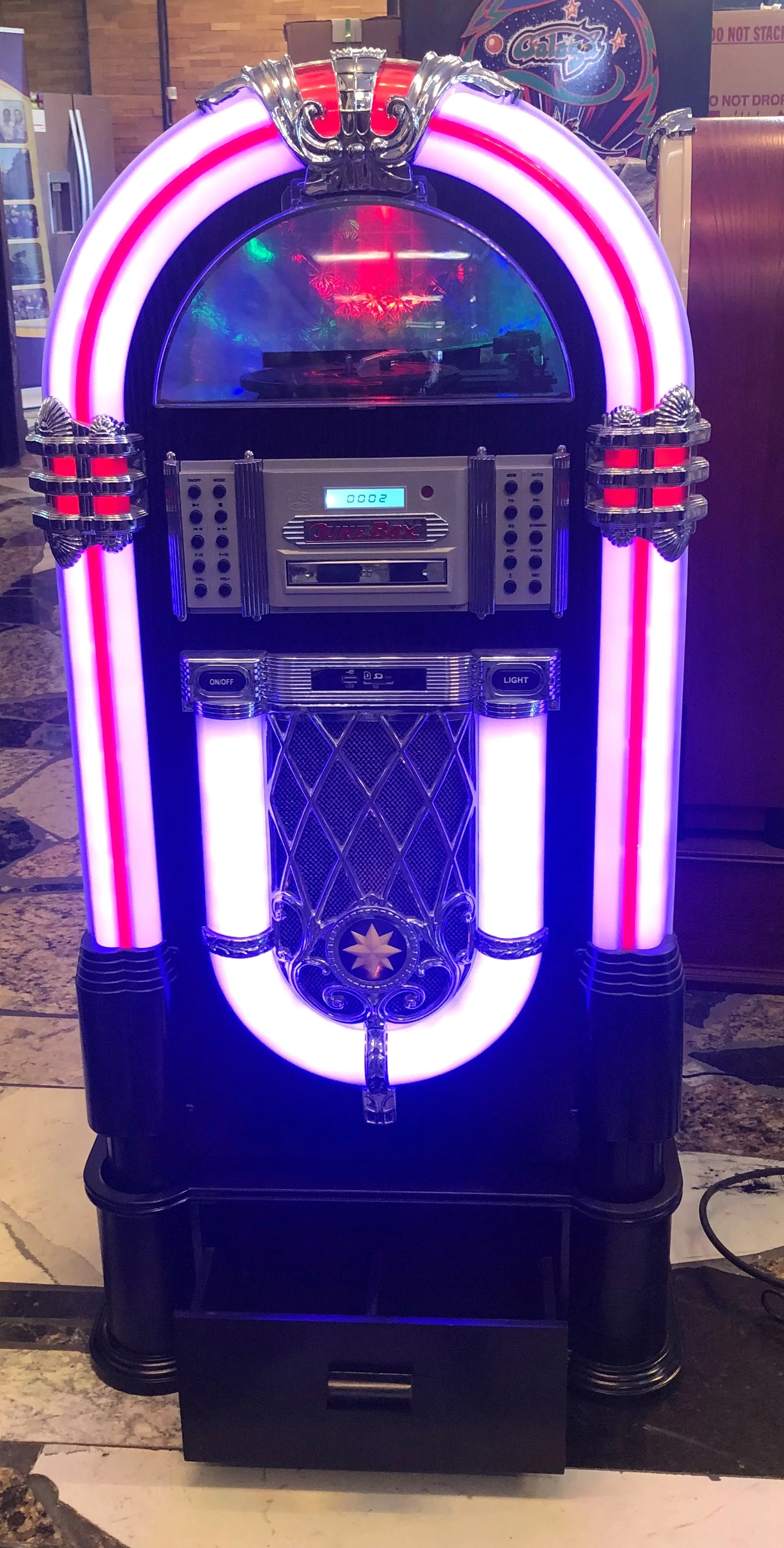
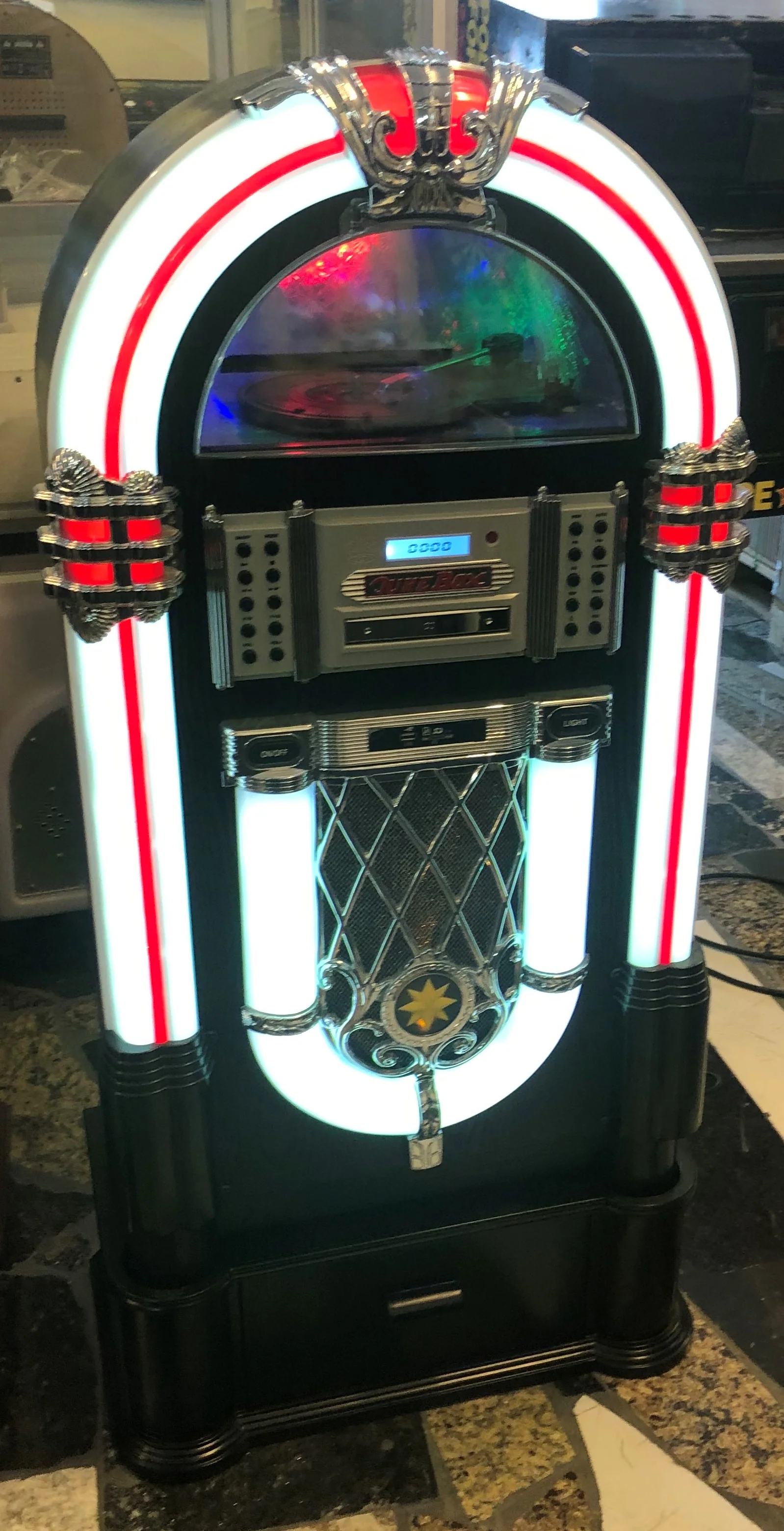
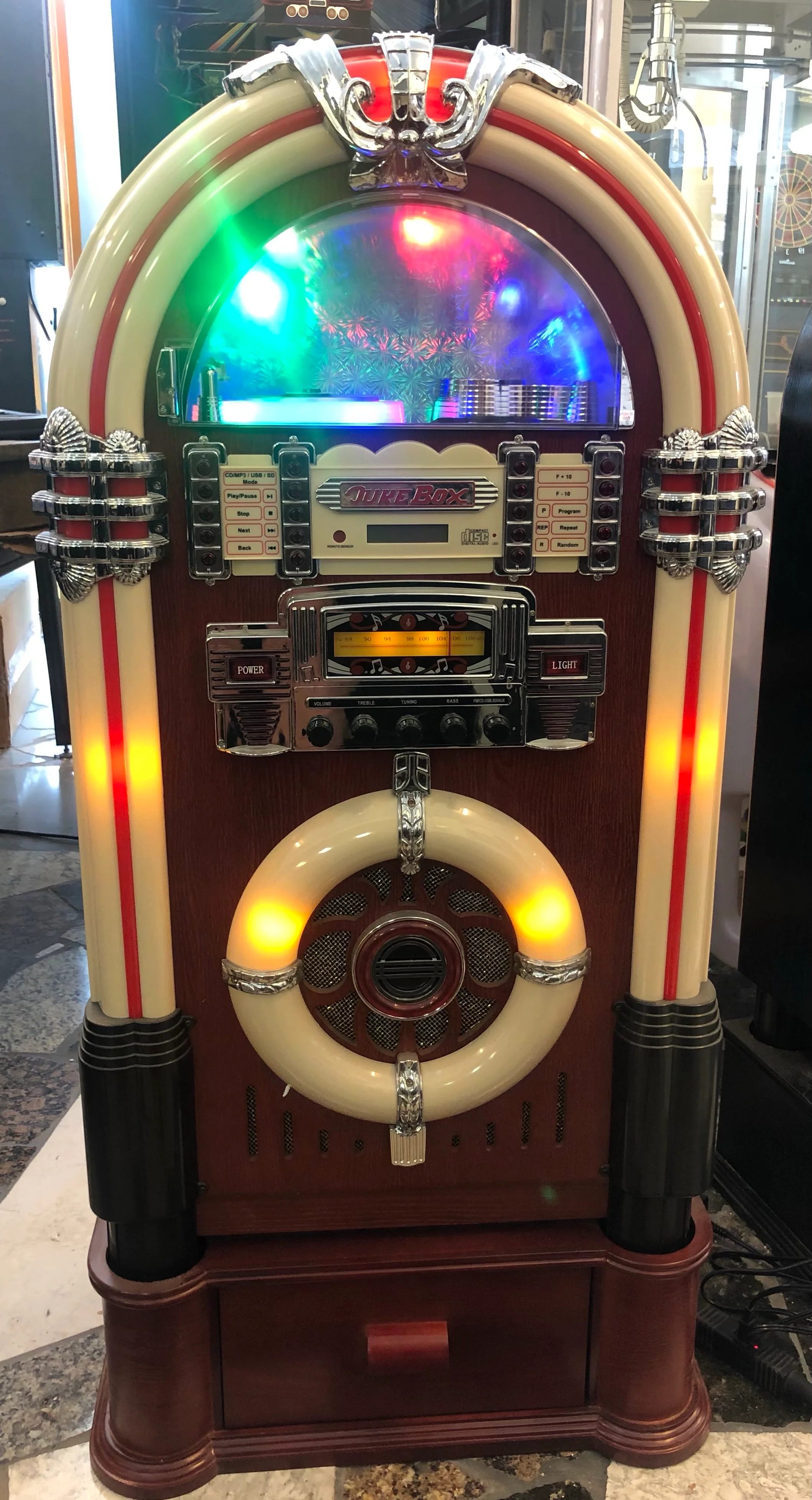
Sharp looking Jukebox, a great addition to your home or business.

LIGHT OPERATION
1. LIGHT MODE (IF EQUIPPED” LED LIGHTS -- MIRACLE SERIES “ONLY) The colors of the lights change overtime gradually, switch to HOLD position to remain static toyour favourite color. Switch to PLAY position to resume.
2. LIGHT MODE (IF EQUIPPED” LED LIGHTS -- GLAMOR SERIES” ONLY) The colours of the lights are continually changing. Move the COLOR FLASH switch to the “HOLD”position for the lights to remain static at your favourite colour.
Note: The colour changing system will not work while in AM (MW)/FM radio mode -- the LED lighting Will automatically change to the “BLUE” light only
RADIO OPERATION
1. Uncoil the Wire Antenna and extend fully for better reception.
2. Set the MODE selector to your desired band.
3. Tune to the desired radio station by using the TUNING knob.
4. To turn the radio off, press the POWER button.
AUXILIARY CONNECTION AUX IN (IF EQUIPPED)
1. Connect your own device (i.e. MP3 Player or iPod) to the AUX IN connection located on the back of the cabinet, together with stereo plug and detachable rack (packed separately).
2. Rotate the MODE SELECTOR on the front panel to USB-SD-AUX.
3. Adjust the sound level with the VOLUME knob on the Jukebox or via the volume control of the external device.
4. When changing to another mode, the external device will continue playing without sound until the ON/OFF switch on the Jukebox is moved to OFF and the external device is switched off.
5. Attention: AUX and USB/SD cannot also broadcast.
TO PLAY A CD
1. Press the ON/OFF switch and select MODE SELECTOR to CD.
2. Flip open the semi circle “CD DOOR”
3. Turn the “RESET” pointer to “OFF” position and insert a disc onto the disc tray. ** (Make sure the “RESET” pointer in “ON” position after disc loaded.)
4. Press the PLAY/PAUSE button to play the CD, press once again to temporarily stop disc play.
5. Press STOP to stop playing the CD.
6. Adjust listening level and sound effect with Volume knob and Loudness button.
7. Press SKIP FORWARD to skip ahead to next track. Press SKIP BACKWARD to skip back to previous track. The track number will be displayed in readout.
Color Flash
1. “COLOR FLASH” is the only LED color changing mode, however, you may also lock the current color.
For more information about this product, please click here.
If you purchase shipping insurance, we will cover cost of the game if there is any damage during shipment.
Details & Craftsmanship
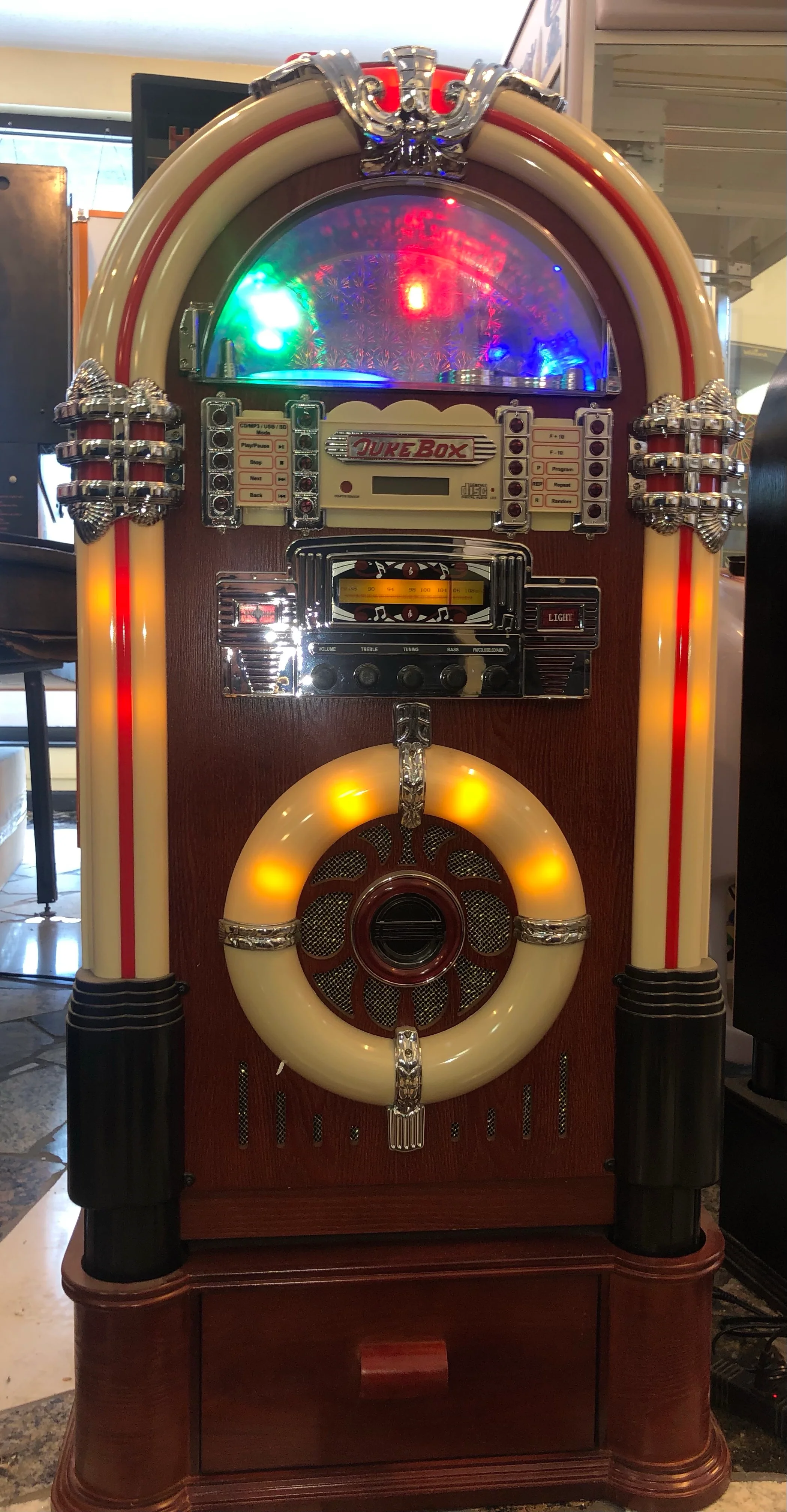
Every detail has been carefully considered to bring you the perfect product.
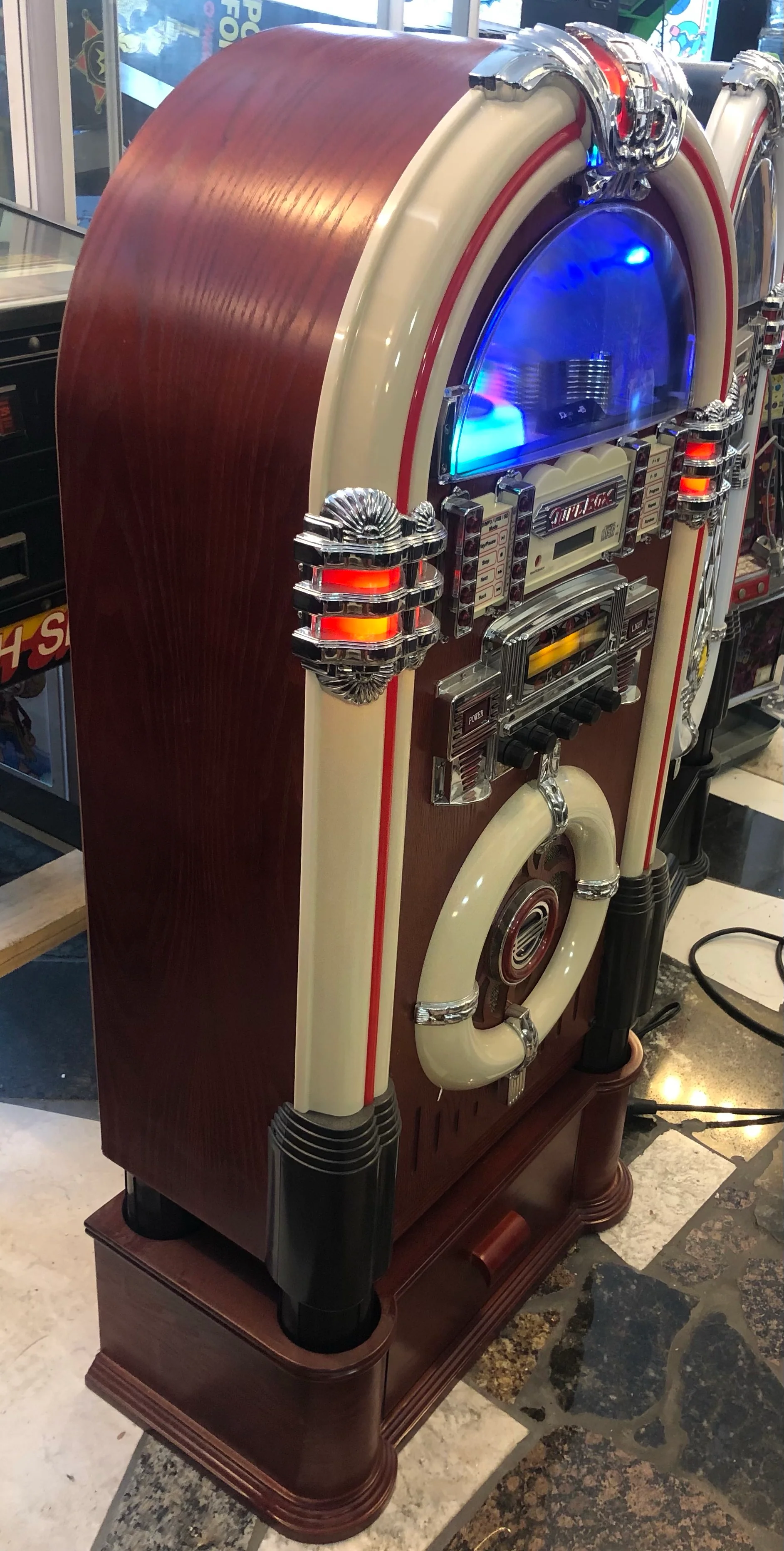
Details & Craftsmanship
Every detail has been carefully considered to bring you the perfect product.
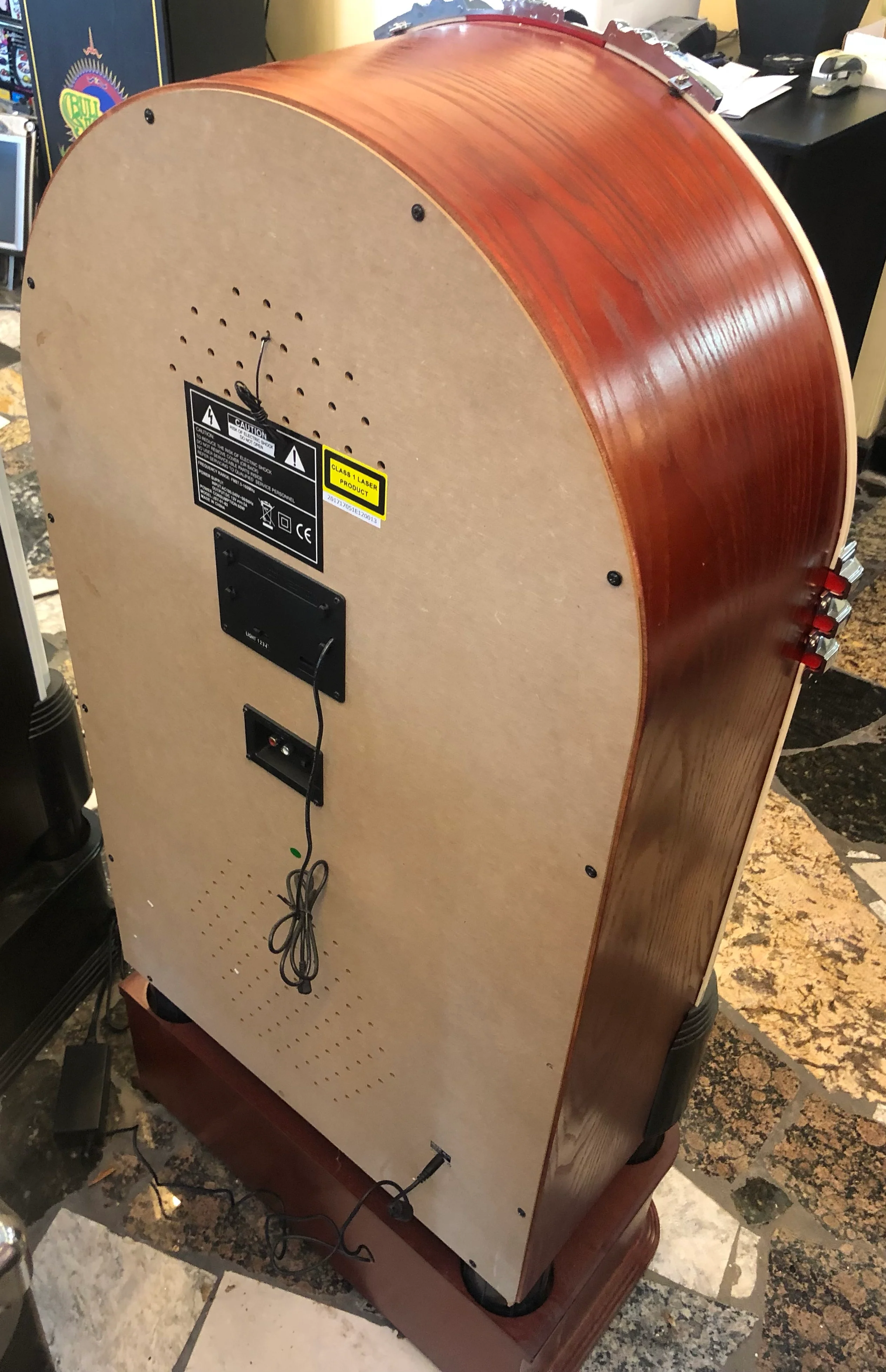
Details & Craftsmanship
Every detail has been carefully considered to bring you the perfect product.
Description
EXCELLENT FOR HOME OR BUSINESS
Sharp looking Jukebox, a great addition to your home or business.
LIGHT OPERATION
1. LIGHT MODE (IF EQUIPPED” LED LIGHTS -- MIRACLE SERIES “ONLY) The colors of the lights change overtime gradually, switch to HOLD position to remain static toyour favourite color. Switch to PLAY position to resume.
2. LIGHT MODE (IF EQUIPPED” LED LIGHTS -- GLAMOR SERIES” ONLY) The colours of the lights are continually changing. Move the COLOR FLASH switch to the “HOLD”position for the lights to remain static at your favourite colour.
Note: The colour changing system will not work while in AM (MW)/FM radio mode -- the LED lighting Will automatically change to the “BLUE” light only
RADIO OPERATION
1. Uncoil the Wire Antenna and extend fully for better reception.
2. Set the MODE selector to your desired band.
3. Tune to the desired radio station by using the TUNING knob.
4. To turn the radio off, press the POWER button.
AUXILIARY CONNECTION AUX IN (IF EQUIPPED)
1. Connect your own device (i.e. MP3 Player or iPod) to the AUX IN connection located on the back of the cabinet, together with stereo plug and detachable rack (packed separately).
2. Rotate the MODE SELECTOR on the front panel to USB-SD-AUX.
3. Adjust the sound level with the VOLUME knob on the Jukebox or via the volume control of the external device.
4. When changing to another mode, the external device will continue playing without sound until the ON/OFF switch on the Jukebox is moved to OFF and the external device is switched off.
5. Attention: AUX and USB/SD cannot also broadcast.
TO PLAY A CD
1. Press the ON/OFF switch and select MODE SELECTOR to CD.
2. Flip open the semi circle “CD DOOR”
3. Turn the “RESET” pointer to “OFF” position and insert a disc onto the disc tray. ** (Make sure the “RESET” pointer in “ON” position after disc loaded.)
4. Press the PLAY/PAUSE button to play the CD, press once again to temporarily stop disc play.
5. Press STOP to stop playing the CD.
6. Adjust listening level and sound effect with Volume knob and Loudness button.
7. Press SKIP FORWARD to skip ahead to next track. Press SKIP BACKWARD to skip back to previous track. The track number will be displayed in readout.
Color Flash
1. “COLOR FLASH” is the only LED color changing mode, however, you may also lock the current color.
For more information about this product, please click here.
If you purchase shipping insurance, we will cover cost of the game if there is any damage during shipment.